

Most buyers want answers before they talk to a salesperson. In a Gartner survey of 645 B2B buyers published in 2026, 67% said they prefer to buy without talking to a sales rep (Gartner, 2026). Your website has to answer the questions a salesperson would, on whatever screen the buyer uses.
This guide covers what web design includes, responsive and adaptive design, the 8 principles and the key elements, a short history and how a website gets made. Our own numbers come from the 6 projects on our web design page, 2 estimates broken down by the hour and one redesign we followed through to its results.
Key takeaways
- Web design decides how a site is organized, how it looks and how it behaves. Web development builds it.
- Responsive design uses one fluid layout for every screen. Adaptive design switches between a few fixed-width layouts at set screen widths.
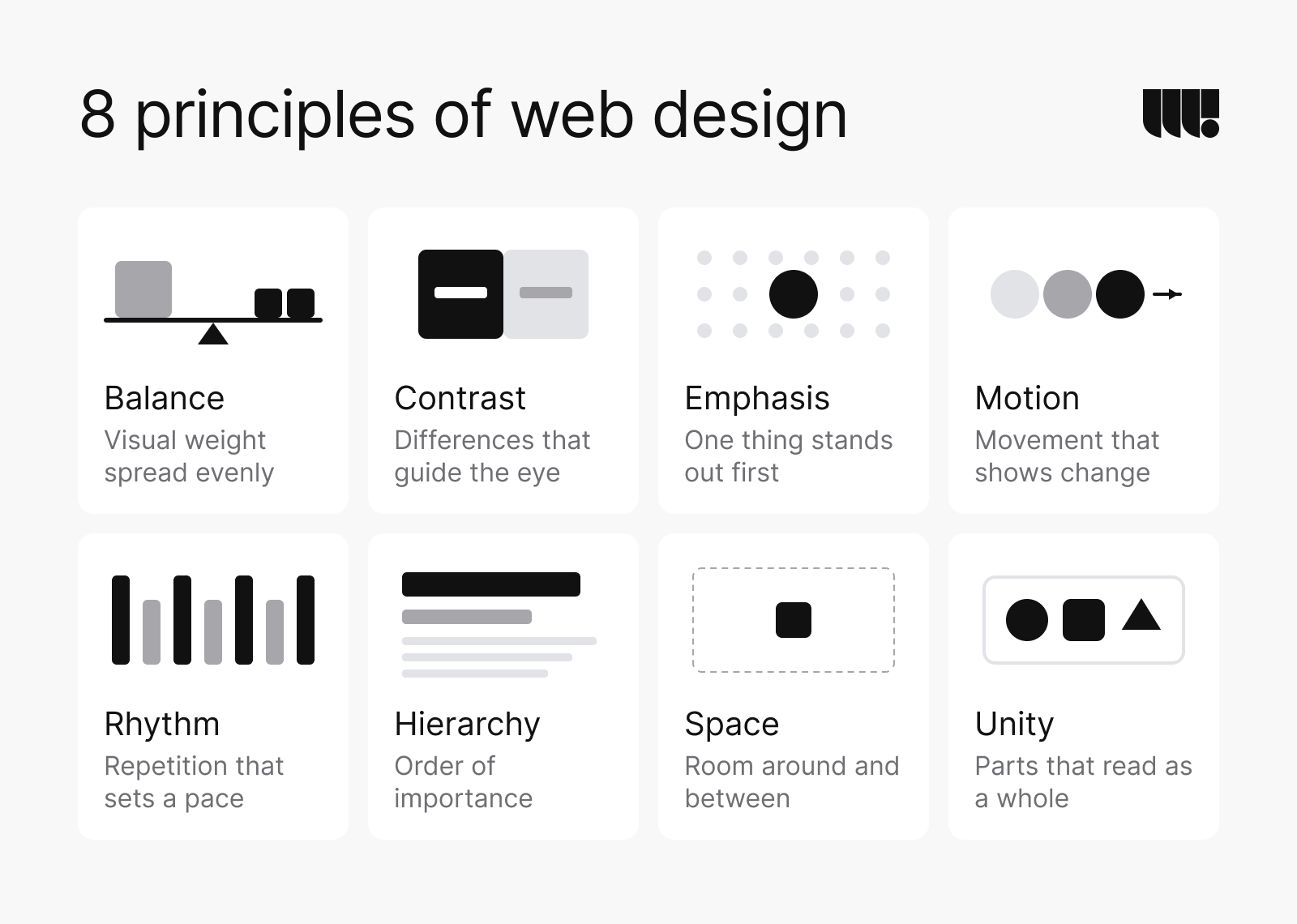
- The visual work rests on 8 principles: balance, contrast, emphasis, motion, rhythm, hierarchy, space and unity.
- The 6 projects on our web design page took between 3 weeks and 5 months.
- WebAIM detected accessibility failures on 95.9% of the top 1,000,000 home pages in 2026. Plan accessibility and speed from the first wireframe.
What is web design?
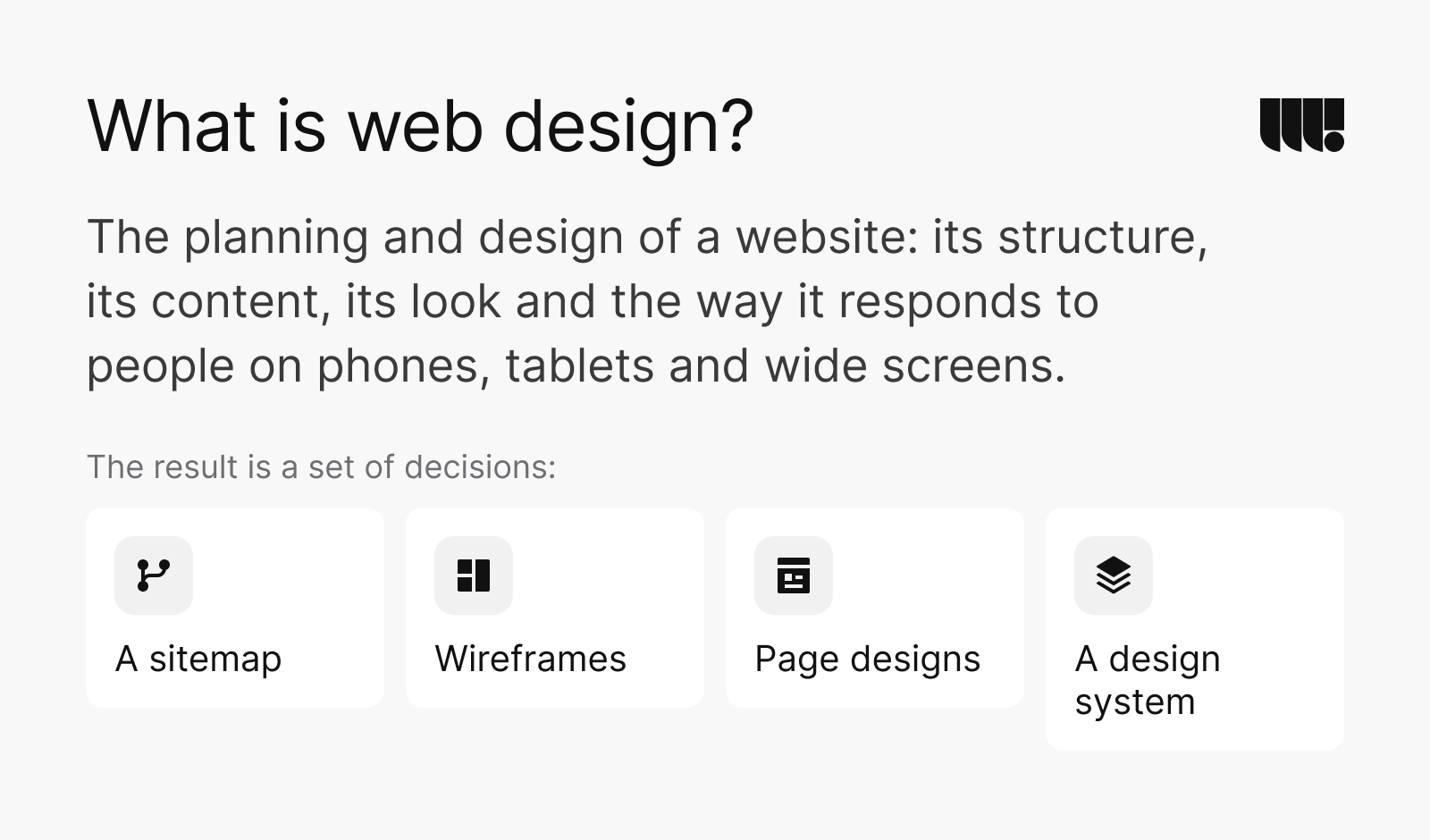
Web design is the planning and design of a website: its structure, its content, its look and the way it responds to people on phones, tablets and wide screens. The result is a set of decisions (a sitemap, wireframes, page designs and a design system) that developers then build in code or in a content management system (CMS).
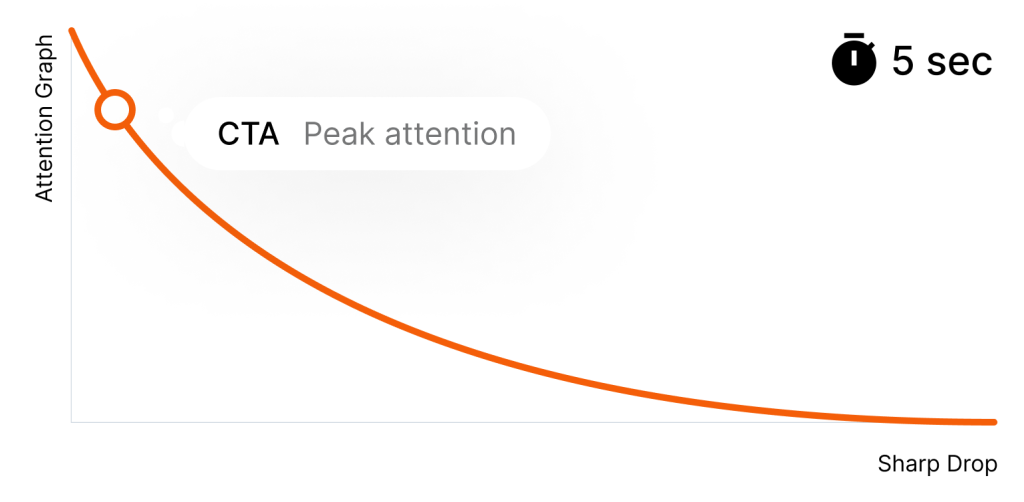
Those decisions get judged fast. Research cited by Nielsen Norman Group found that people judge a site’s visual appeal in about 50 milliseconds (Nielsen Norman Group, 2017). That first view rarely changes with more time. Good design earns the next few seconds with a clear offer, a page that loads and an obvious next step.
What web design includes
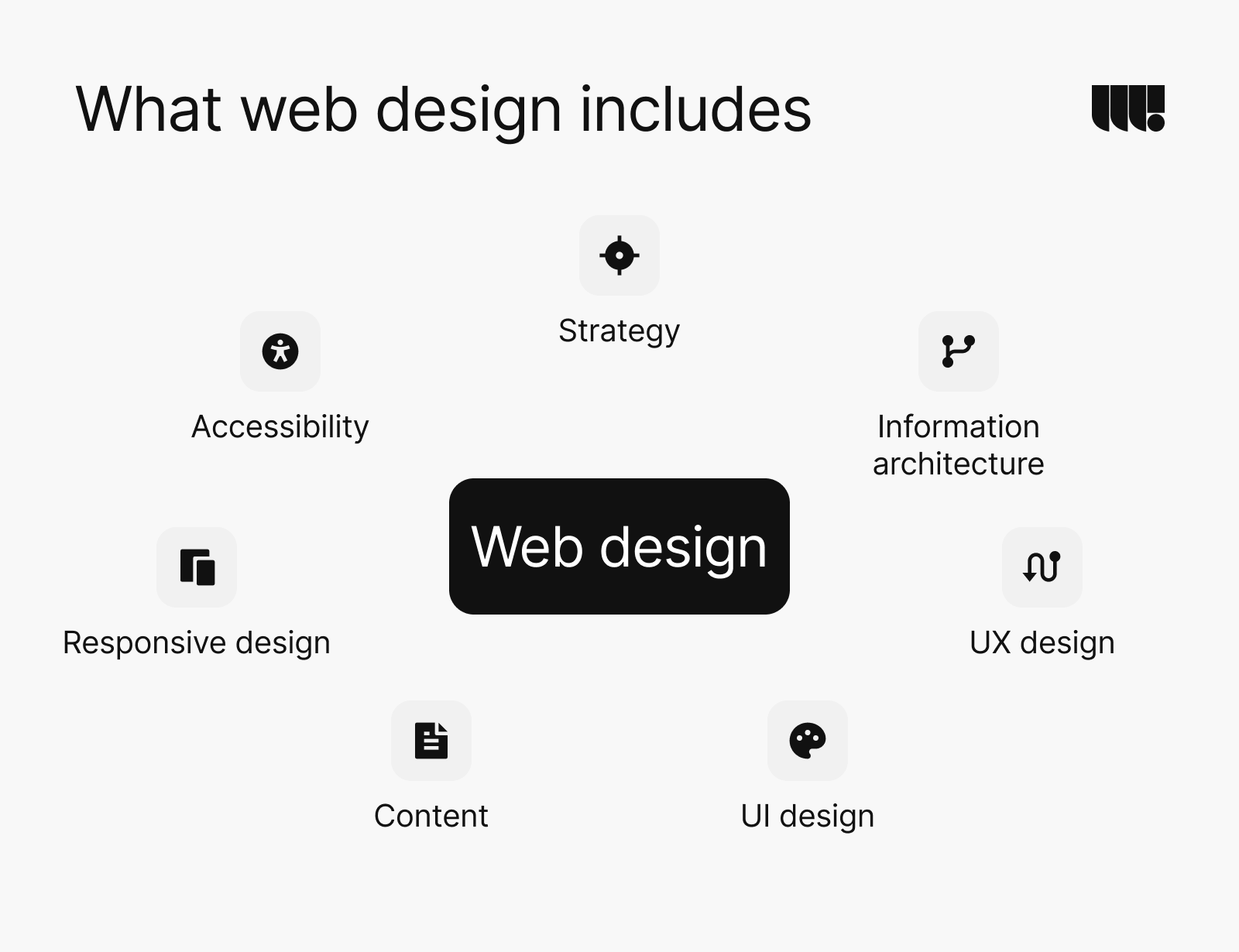
- Strategy: who the site is for, what it has to achieve and how you’ll measure it.
- Information architecture: how pages and content are grouped and named to help people find what they came for.
- UX design: the paths people take through the site, drawn as user flows and wireframes.
- UI design: the visual layer of type, colour, spacing and components, and the design system behind it.
- Content: the words, images and proof on each page.
- Responsive design: layouts that fit every screen size.
- Accessibility: pages that work with a keyboard, a screen reader or zoom.
Responsive vs adaptive design
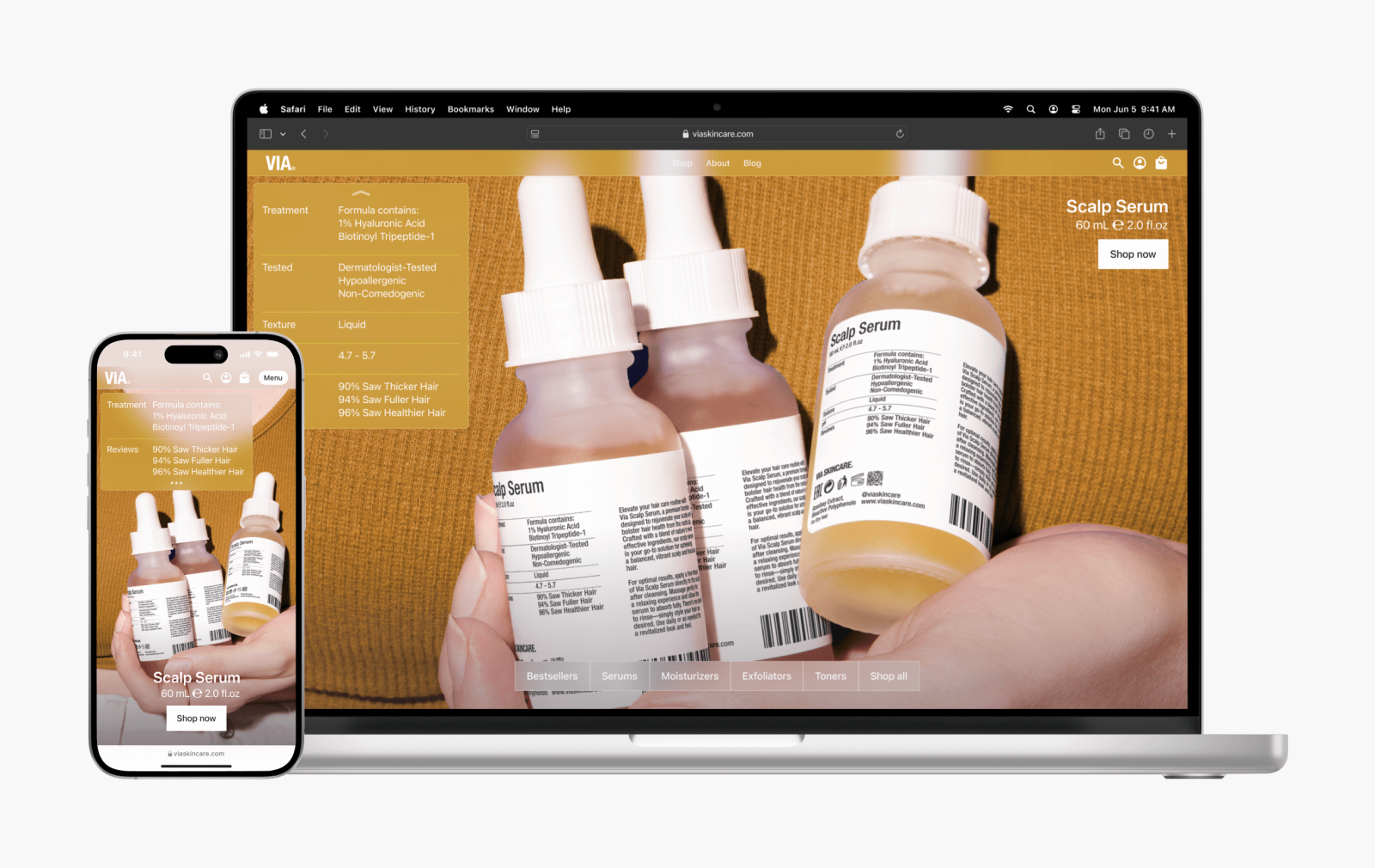
Responsive design uses one fluid layout that resizes and reflows to fit any screen: columns stack on a phone and spread out on a desktop. Ethan Marcotte coined the term in his 2010 article “Responsive Web Design” (A List Apart, 2010). MDN now calls it “the way to design for a multi-device web” (MDN).
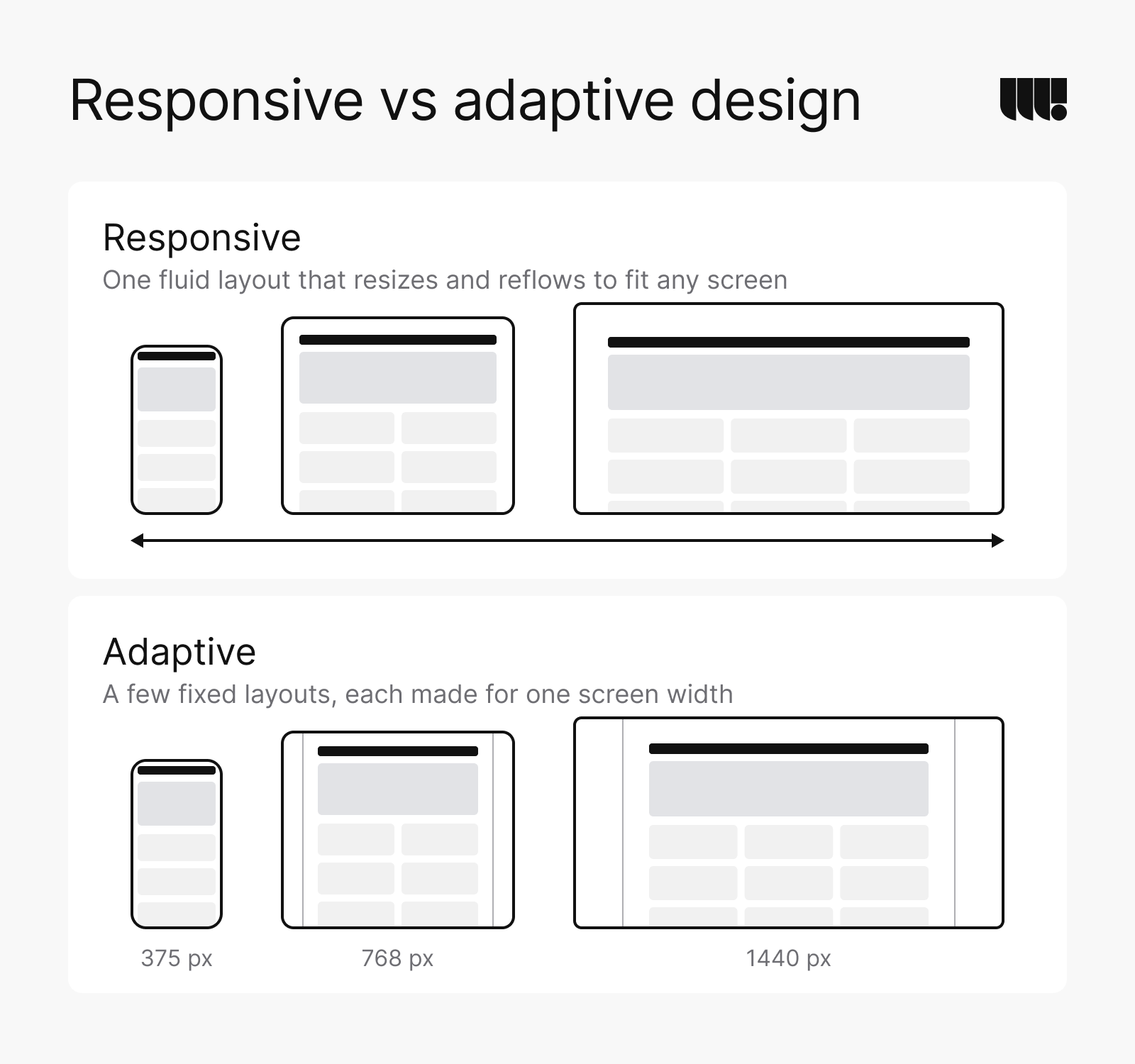
Adaptive design switches between a handful of fixed-width layouts at set screen widths (web.dev). Each layout looks good at its own width, but in web.dev’s words the design “never looked quite right” between those sizes.
Mobile-first design is a way of working, not a third kind of layout. A mobile-first team designs the phone layout first and adds to it as the screen grows. A small screen forces an early choice about what matters most.
Phones and desktops both matter in Canada. In September 2026, phones accounted for 46.4% of web page views in Canada and desktops for 50.6% (StatCounter, Canada). Worldwide, phones led with 59% (StatCounter, worldwide). In October 2023, Google announced that its move to mobile-first indexing was complete, and it now crawls sites that work on phones mainly with its smartphone crawler (Google, 2023).
Every site we build is responsive. We design layouts for desktops, tablets and phones, then build them to fit every width in between.
Why good web design matters
A website is often the first meeting with a company, and people decide quickly whether to trust it and whether to stay.
- Trust: in a Stanford study, 2,684 people judged the credibility of websites, and the design look came up in 46.1% of their comments, more than any other feature (Stanford, 2002).
- Speed: Google found that as a mobile page’s load time goes from 1 second to 10 seconds, the chance that a visitor bounces rises 123% (Google, 2017).
- Results: after we redesigned Cycle Momentum’s site, total visits rose 68.3% and the bounce rate fell to 32.5%.
Web design vs web development
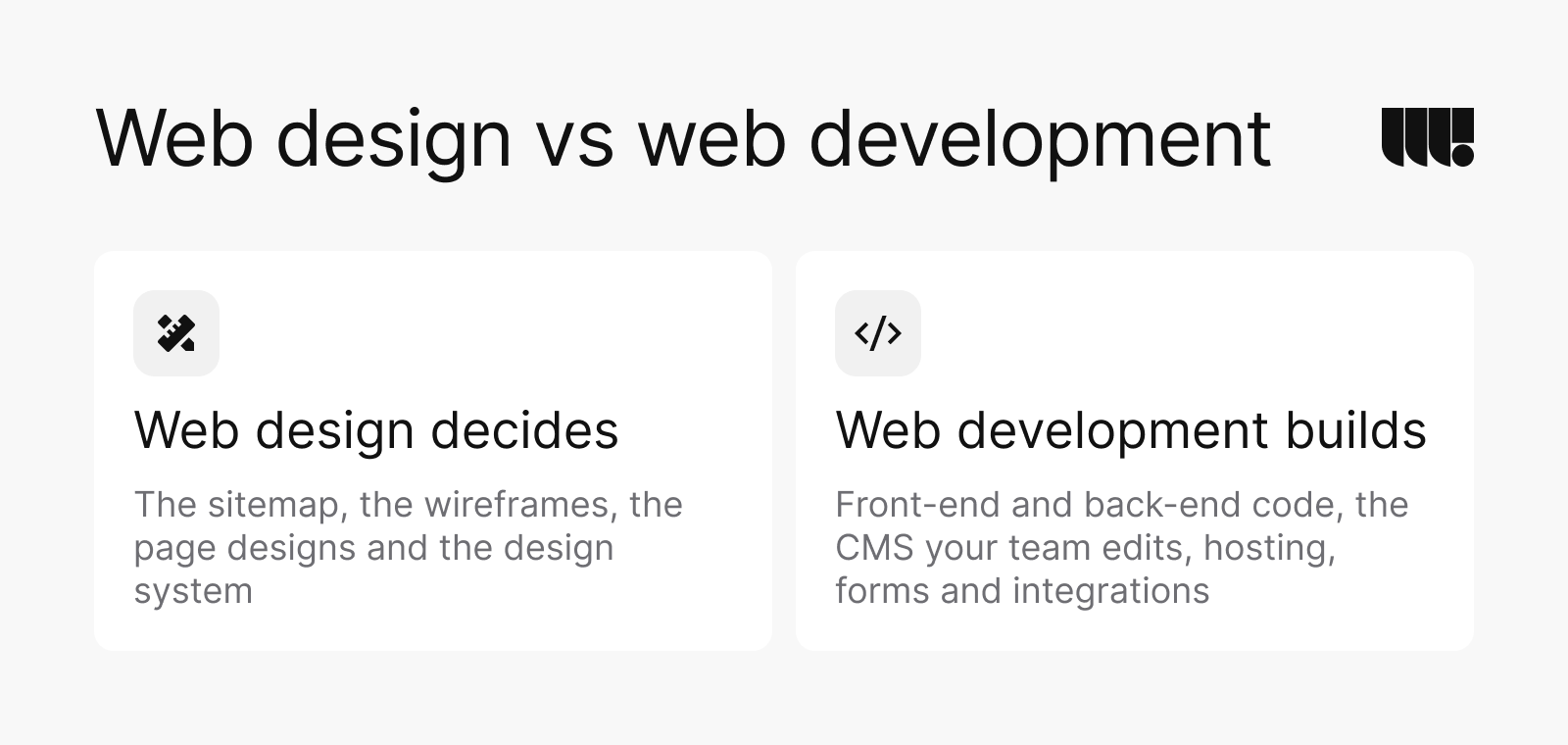
Design decides and development builds. Web design produces the sitemap, the wireframes, the page designs and the design system. Web development turns them into a working site: front-end code for what visitors see, back-end code and a CMS for what your team edits, plus hosting, forms and integrations.
In practice the line moves. A designer who knows the CMS designs pages your team can actually edit, and a developer who sees the wireframes early can flag what will be slow or costly to build. That’s why we design and build websites in the same team.
What does a web designer do?
A web designer turns goals and content into a site people can use. Day to day, that means:
- talking to the team and to users, and studying analytics and competitors;
- planning the sitemap and the paths people take;
- drawing wireframes and prototypes, then testing them;
- designing the type, colour, layout and imagery;
- building the design system that developers work from;
- reviewing the build with developers and testing before launch.
The designer rarely works alone. A website project calls for 8 kinds of work, and each needs its own skills. How many people fill them depends on the size of the site, but the roles stay the same.
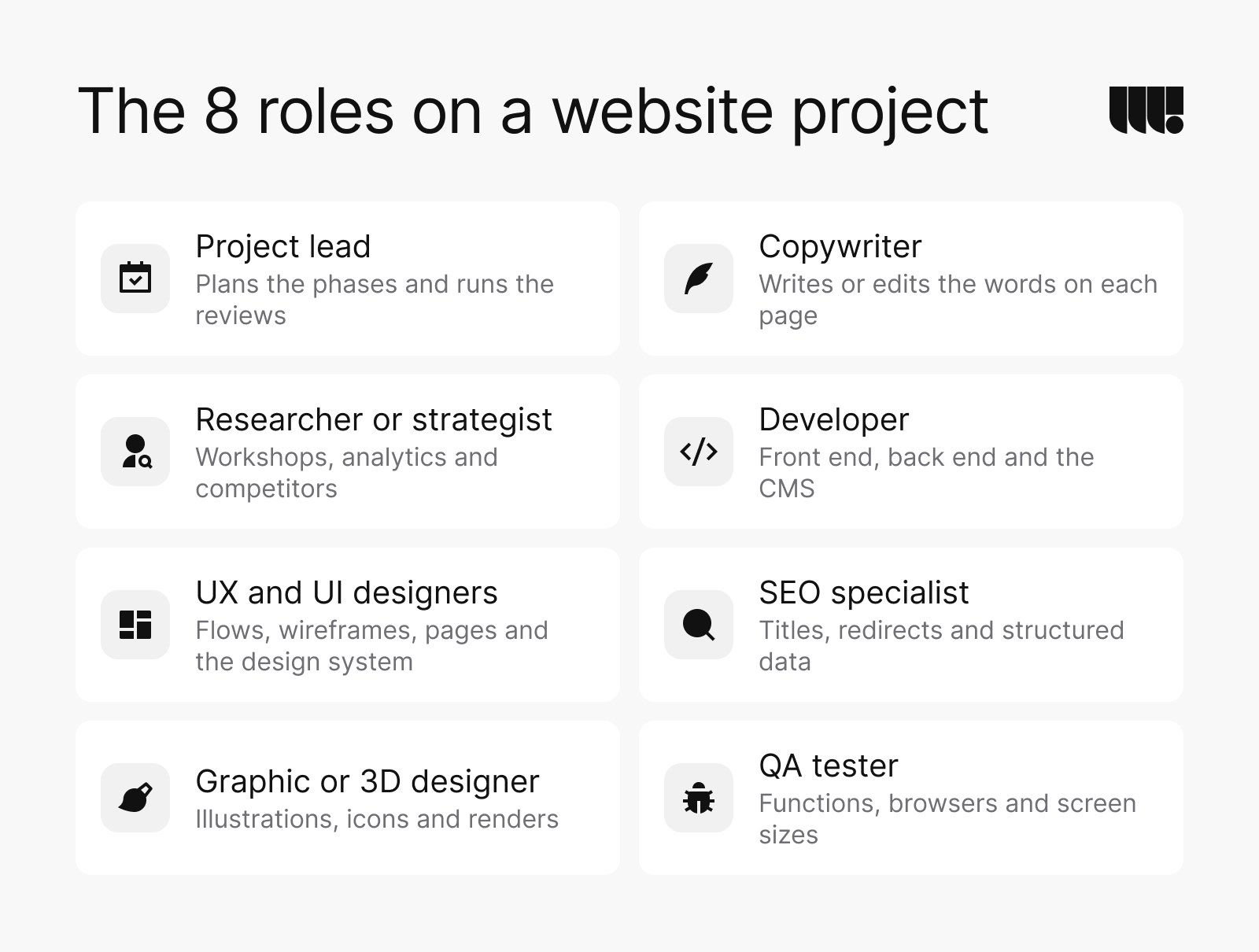
- Project lead: plans the phases, runs the reviews and keeps the schedule.
- Researcher or strategist: runs the workshops and studies analytics and competitors, then turns what they learn into goals and a sitemap.
- UX and UI designers: map the user flows, draw the wireframes and design the pages and the design system.
- Graphic or 3D designer: creates illustrations, icons and renders. On Cycle Momentum, our CG generalist made a set of 3D illustrations for the platform.
- Copywriter: writes or edits the words on each page.
- Developer: builds the front end and back end and sets up the CMS.
- SEO specialist: sets up titles, redirects and structured data, and protects existing rankings in a redesign.
- QA tester: checks functions, browsers and screen sizes before launch.
On your side, 3 roles make a project move faster. Someone decides, someone owns the content and someone will update the site after launch. In a small company that can be one person.
A short history of web design
Most of today’s rules came from a few turning points: the first pages, images, style sheets, phones and search.
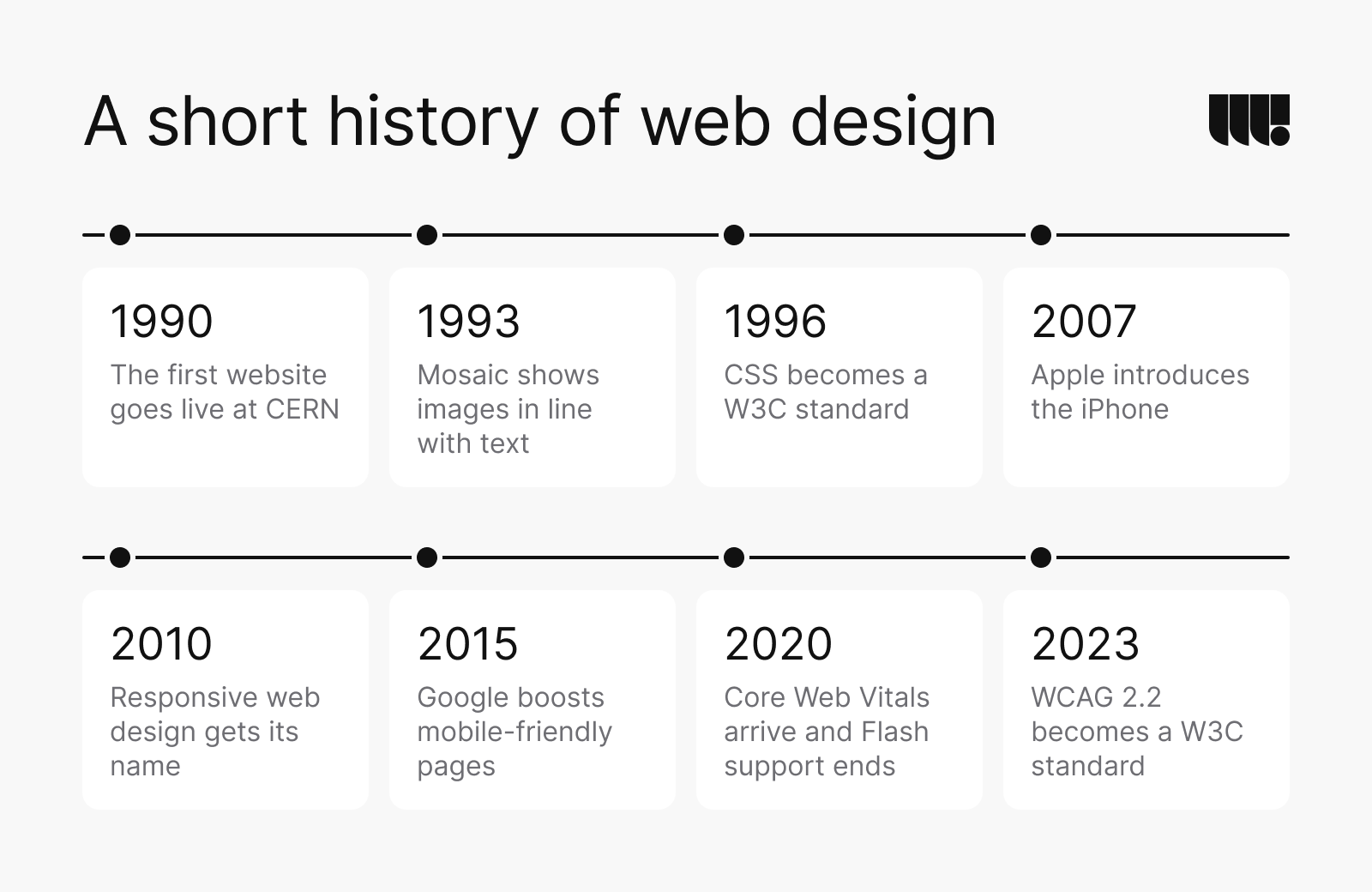
- 1990: the first website goes live at CERN, on a NeXT computer, and Tim Berners-Lee announces the web publicly in August 1991 (CERN).
- 1993: CERN puts the web software in the public domain, and the Mosaic browser shows pictures in line with text instead of in a separate window (CERN; University of Illinois).
- 1996: CSS becomes a W3C Recommendation, separating how a page looks from what it says (W3C).
- 2007: Apple introduces the iPhone, with web browsing built in (Apple, 2007).
- 2010: Ethan Marcotte names responsive web design (A List Apart, 2010).
- 2015: Google starts boosting mobile-friendly pages in mobile search results (Google, 2015).
- 2020: Google introduces Core Web Vitals, and Adobe stops supporting Flash Player at the end of the year (Google, 2020; Adobe).
- 2023: WCAG 2.2 becomes a W3C standard, and Google announces that its move to mobile-first indexing is complete (W3C, 2023; Google, 2023).
Each change raised the floor. A site today has to look right, work on any screen, load fast and serve people with disabilities, and the rest of this guide follows those demands.
The 8 principles of web design
Principles are the rules of thumb behind layout decisions. These 8 cover most of them.
Balance
Balance spreads visual weight so a page doesn’t tip to one side. Symmetric layouts feel calm and formal. Asymmetric ones feel livelier but need a counterweight, such as a large image on one side and a headline and button on the other.
Contrast
Contrast separates what matters from what doesn’t, with dark against light, large against small and filled against empty. It’s also an accessibility rule. Low-contrast text appeared on 83.9% of the top 1,000,000 home pages in WebAIM’s 2026 scan (WebAIM, 2026).
Emphasis
Emphasis decides what people see first. Give each screen one primary action and let the rest step back, with one filled button, one main headline and one image that carries the message.
Motion
Motion shows change, such as a menu opening, a button responding to a tap or content arriving as you scroll. Keep it short and tied to an action, and switch it off for people who set their device to reduce motion.
Rhythm
Rhythm comes from repetition: the same spacing between sections, the same card shapes and the same grid on every page. A fixed spacing scale gives a site a steady pace without anyone measuring by eye.
Hierarchy
Hierarchy orders information by importance through size, weight, position and colour. When it fails, people miss what they came for. In our usability review of Myosin Therapeutics’ old site, key information was missing and functional elements were difficult to notice.
Space
White space groups related items and separates the rest. It isn’t wasted room. It’s what lets people scan a page instead of reading every word.
Unity
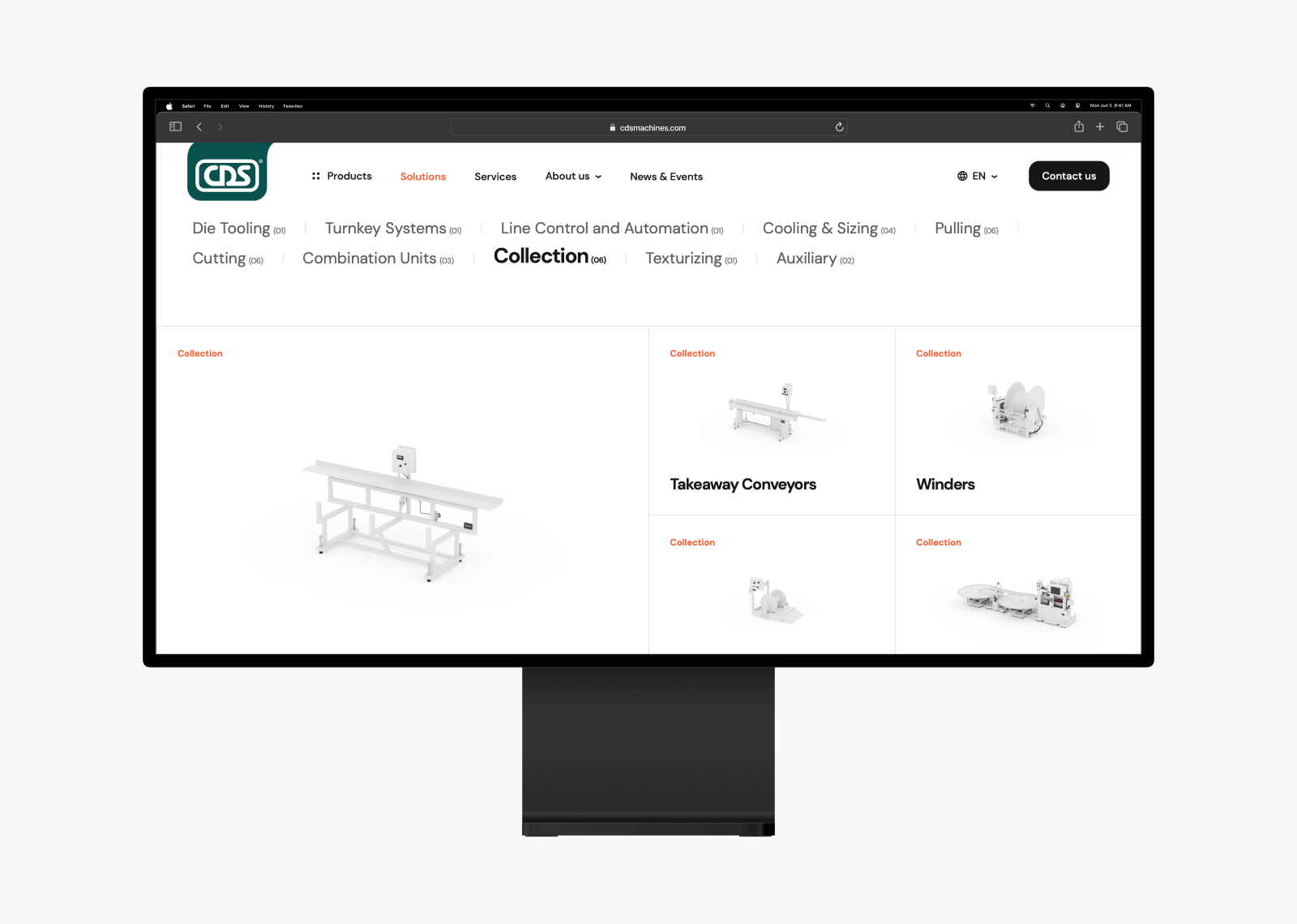
Unity makes every part look like it belongs to the same site, through one type family, one icon set and consistent buttons. For CDS, the company’s logo became the central element of the site’s visual style and inspired its icons, buttons and navigation.
Key elements of web design
Principles say how to arrange a page; elements are what you arrange. Most pages draw on these 8.
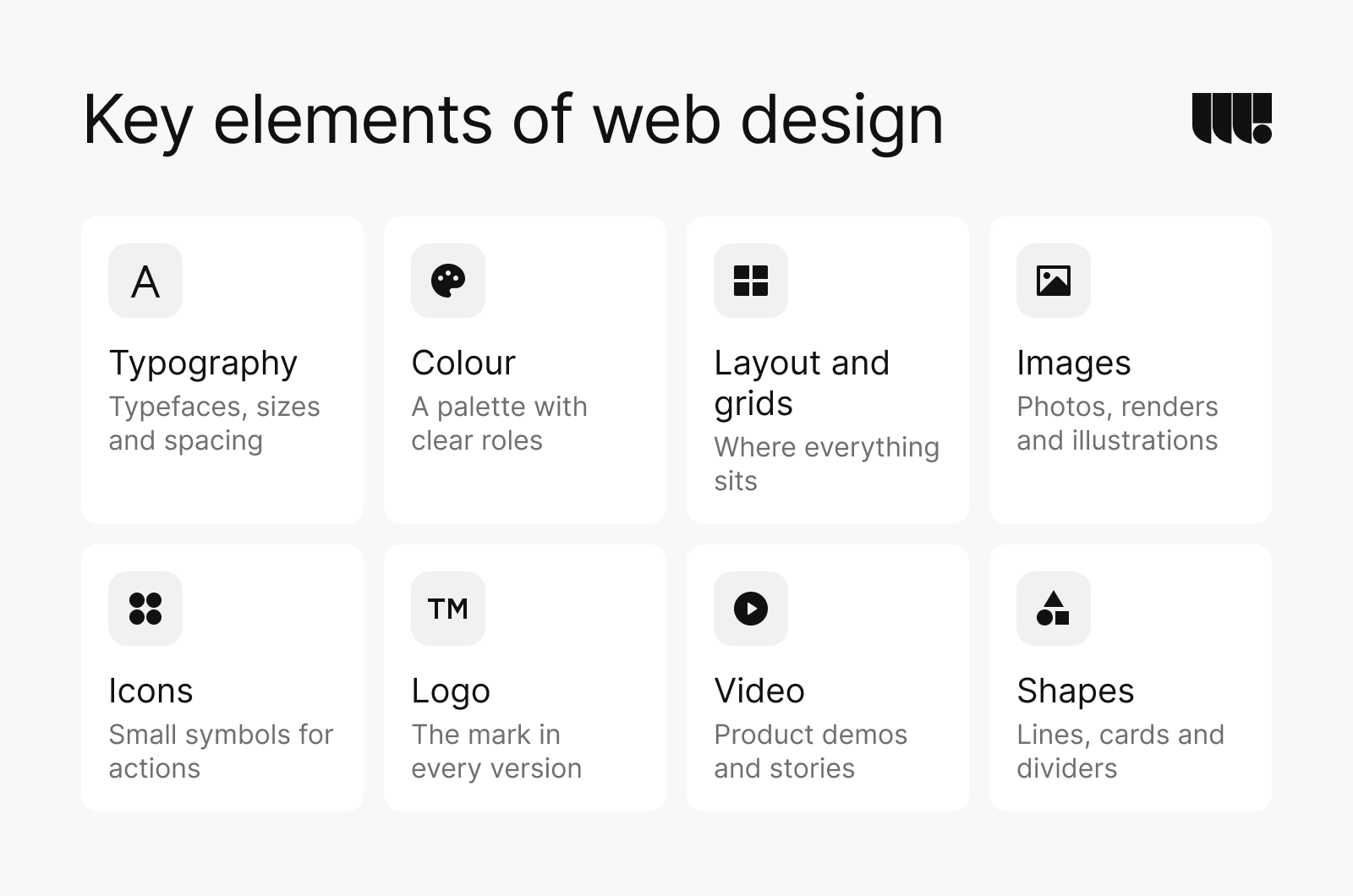
- Typography: typefaces, sizes, weights and line spacing. Two families are usually enough, one for headings and one for text.
- Colour: a palette with clear roles, such as a brand colour, neutrals for text and backgrounds and colours for errors and success. For CDS we chose a light grey, white and the brand’s green and orange, with a clean sans-serif typeface for readability.
- Layout and grids: the layout decides what goes where on a page. A grid sets the columns content sits on and keeps pages aligned across templates.
- Images: photos, renders and illustrations that show the product or the people. For CDS our team rendered over 150 product models in a photorealistic style.
- Icons: small symbols that label actions and sections. They only help when they’re consistent and familiar.
- Logo: the brand’s mark, with versions for light and dark backgrounds and small sizes. Our post on famous logos shows what the lasting ones have in common.
- Video: short product demos or stories. Keep them optional and light, because video is heavy to load.
- Shapes: lines, cards, dividers and corners, the small choices that give a site its character.
Usability, speed, accessibility, SEO and navigation
A site can look right and still fail. These 5 qualities decide whether it works for the people who use it and for search engines.
Usability
Usability is how easily people finish what they came to do. We test it before a redesign starts. On Myosin Therapeutics we tested 10 pages, found 25+ usability issues and made 30+ recommendations. On Cycle Momentum we tested 12+ pages and found 80+ issues.
Speed
Only 48% of mobile sites pass Google’s Core Web Vitals (HTTP Archive, 2025). Speed pays. In a study commissioned by Google and run by 55 and Deloitte, a 0.1 second improvement in 4 mobile speed metrics improved progression rates across the purchase funnel. On lead generation sites, the biggest gain was 21.6% more users reaching the form submission page (web.dev, 2020).
Accessibility
WebAIM’s 2026 scan found detectable accessibility failures on 95.9% of the top 1,000,000 home pages (WebAIM, 2026). Accessibility reaches more people than most teams assume. In Statistics Canada’s 2022 survey, 27% of Canadians aged 15 and over had a disability that limited their daily activities (Statistics Canada, 2023). In Ontario, public websites of designated public sector organizations and of businesses and non-profits with 50 or more employees must meet WCAG 2.0 AA. The rule covers content published since 2012 and leaves out 2 criteria, live captions and pre-recorded audio descriptions (Government of Ontario). The current version of the standard, WCAG 2.2, was published in October 2023 (W3C, 2023).
SEO
Design decides much of what search engines see: the page structure, the headings, the speed and how well the site works on a phone. A redesign can also lose rankings by dropping pages, changing URLs without redirects or losing titles and structured data. Before a redesign we record the pages and keywords that bring in traffic, keep or redirect every URL and carry over titles, descriptions and structured data. Our guide to SEO best practices for web design covers the rest.
Navigation
Navigation should follow what visitors came for, not how the company is organized inside. CDS’s old site suffered from confusing navigation and a complex structure. We simplified the architecture, cut unnecessary pages and built a clear product catalogue, which also helped the site in search.
How a website gets made
A full website project runs through 6 phases, starting with a strategy workshop and continuing after launch. Each phase ends with work you can review. Decisions get made early, while they’re still easy to change. The audit applies to redesigns; a new site skips it.
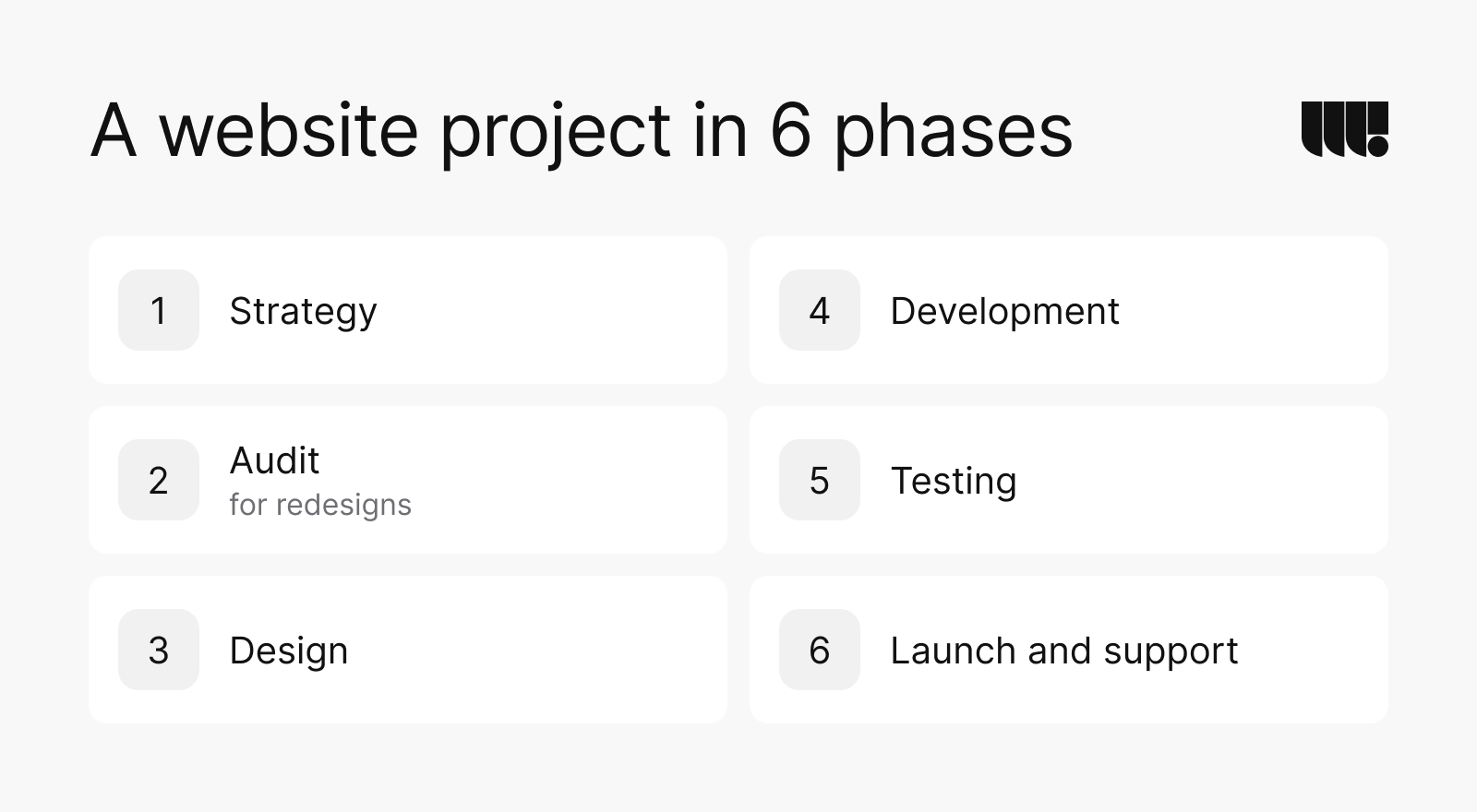
- StrategyWorkshops with your team and research into your market and competitors, then first concepts that set the direction. It ends with the goals, the audience, a sitemap and a content plan.
- Audit, for redesignsA review of your current site’s usability, analytics, speed and search visibility, with a prioritized list of what to fix first and why.
- DesignUser flows and wireframes come first, then the UI kit and the design system that every page is built from.
- DevelopmentFront-end and back-end development on WordPress, Webflow or custom code, with a CMS your team can update without a developer.
- TestingFunctional, usability and cross-browser testing, until the site works on every major browser and screen size.
- Launch and supportWe deploy the site, hand over files and accounts, train your team and keep improving the site after launch.
Our post on the steps of our web design process goes through each phase in more detail.
Wireframe, mockup, prototype
Design gets more concrete in 3 steps. A wireframe sets the structure and content with no styling. A mockup shows the final look as a still image. A prototype links the screens so people can click through and test the flow before anything is built.
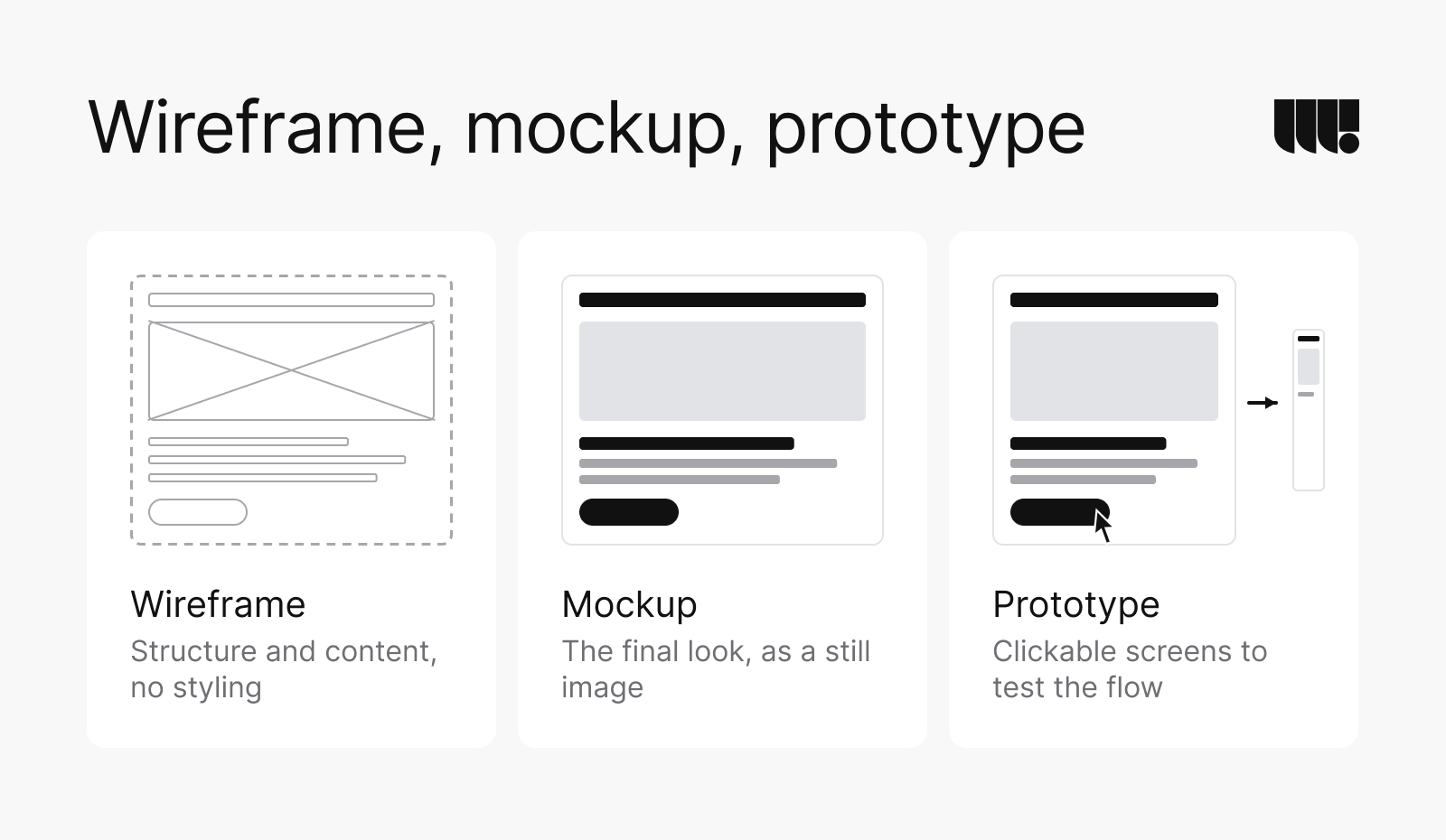
Each step is cheaper to change than the next. Moving a section in a wireframe takes minutes; moving it after launch can mean rebuilding templates.
Why every site gets its own design system
Every website we build comes with its own design system, a shared library of components, layouts and styles that keeps pages consistent and makes new ones quick to add. Buttons, forms, cards and navigation are designed once, with every state. Each page then looks and behaves the same way.
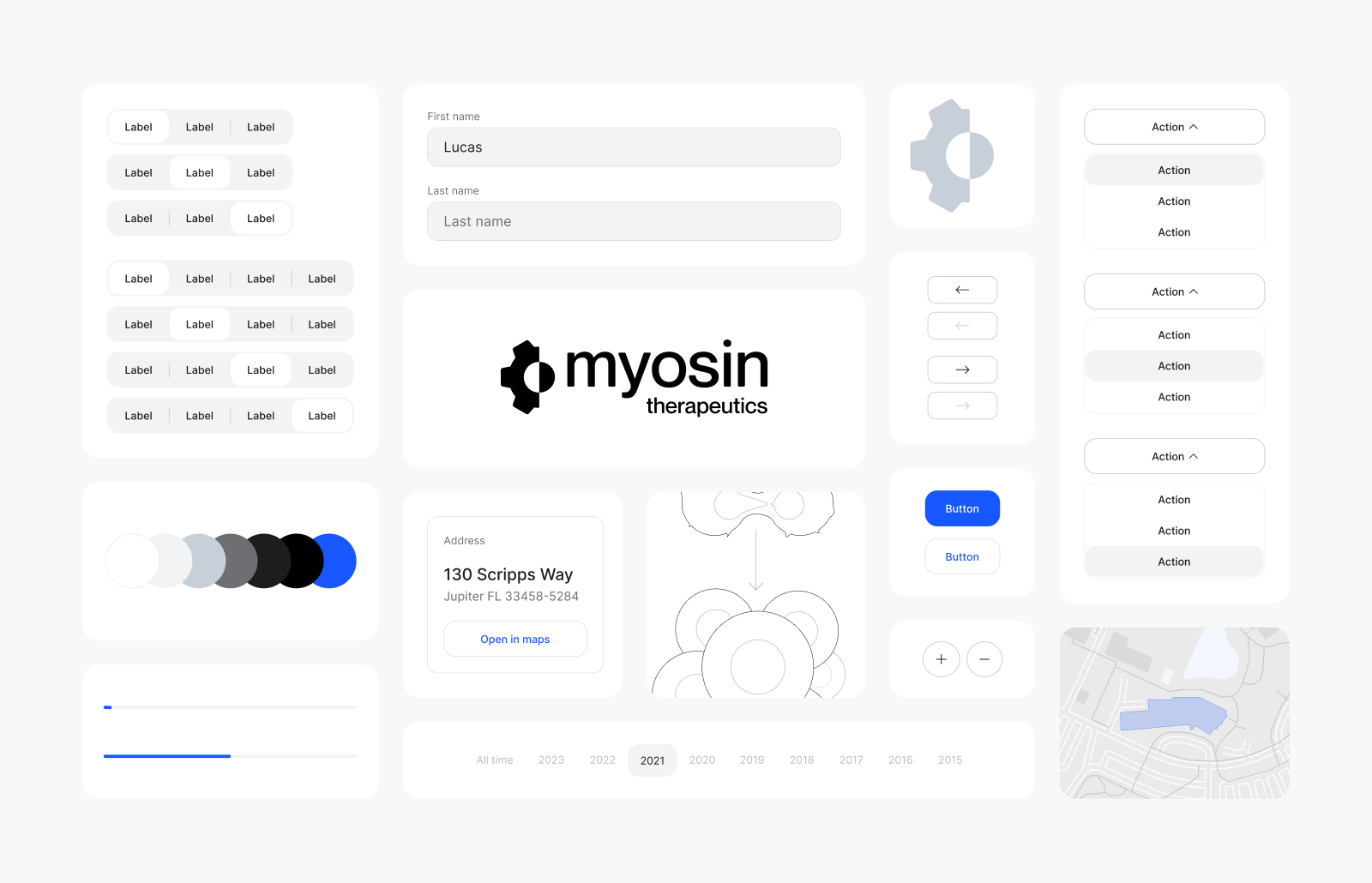
Pages age as a business changes. A system lets your team add a page a year later from parts that already work, without a designer for every change.
How long it takes
The 6 projects on our web design page took between 3 weeks and 5 months, and 4 of them took 2 to 4 months. For comparison, most web design projects reviewed on Clutch last about 7 months (Clutch, 2026).
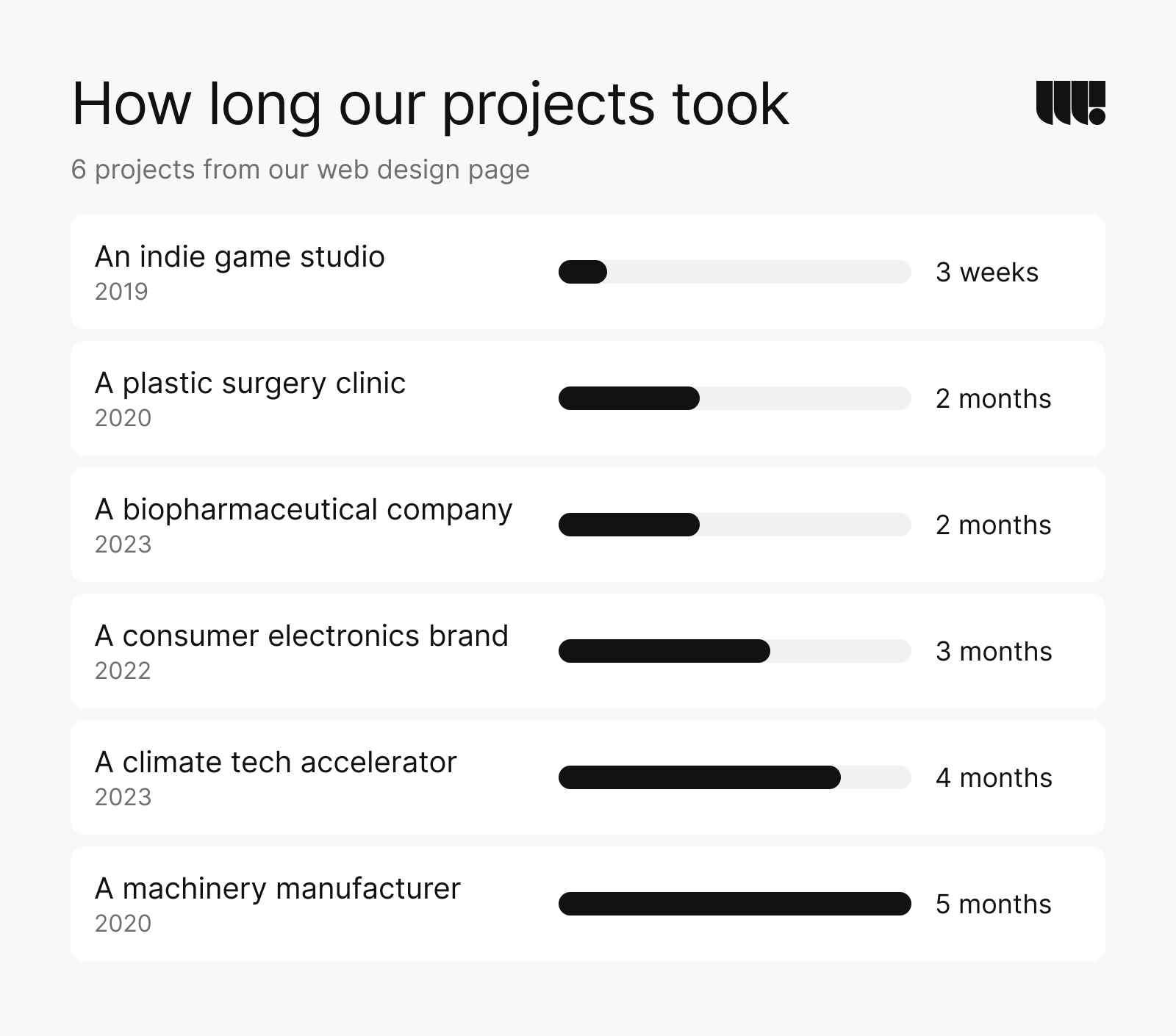
The longer projects carried work beyond page design. Cycle Momentum began with a UX audit that tested 12+ pages and found 80+ issues before design started. CDS, a machinery manufacturer, needed 150+ photorealistic 3D renders. The 3-week project was a focused site for an indie game studio.
Three things move a date more than design does: content, integrations and feedback rounds. We agree on a schedule with milestones before work starts, and a larger redesign gets a longer one. A single page is a much smaller job, and a good way to test an idea with a landing page before you build a full site.
Where the hours go
Less of the work is visual than most people expect. In 2 redesigns we estimated, design was 32% of the hours on a site with 9 page templates but only 9% on a larger one. On the larger site, build, content and testing made up 65% of the hours. Shares in the chart are rounded.
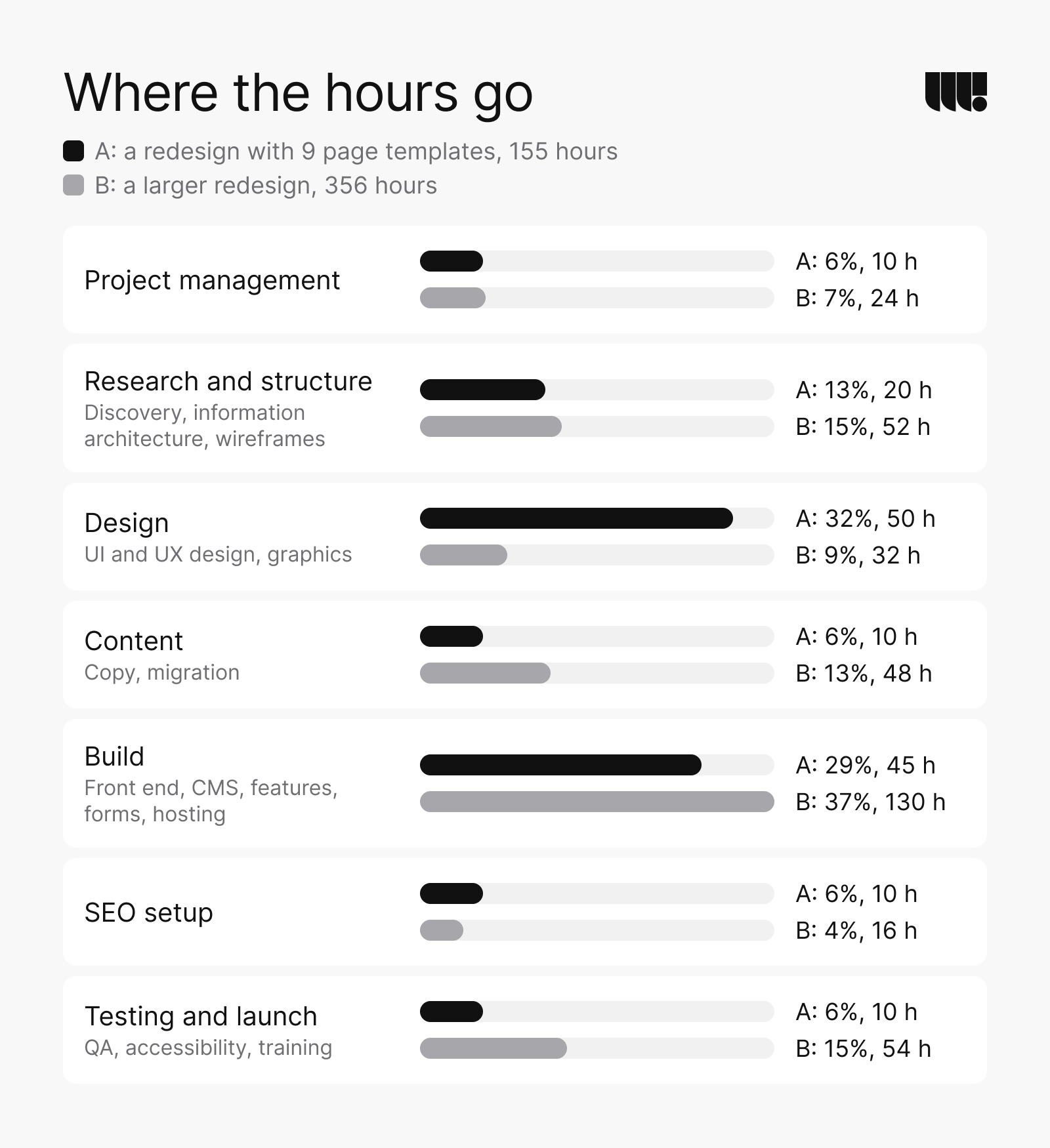
The difference comes from what each site needed. Redesign A put its hours into custom graphics and the design of 9 page templates. Redesign B had custom features to build, old content to migrate and an accessibility standard to test against.
When you compare quotes, ask for hours by phase. A quote that’s mostly design hours for a content-heavy site will run short during the build. For a first budget, our website cost calculator estimates your site from its pages and features.
Tools and platforms
Design happens in a design tool, and the site gets built on a platform. We design in Figma, where the pages, prototypes and the design system live in one file that developers can inspect.
WordPress runs about 40% of all websites and Webflow 0.8% (W3Techs, October 2026). We build on WordPress, Webflow or custom code (React and Next.js) and recommend one based on who will update the site, the features it needs and your budget.
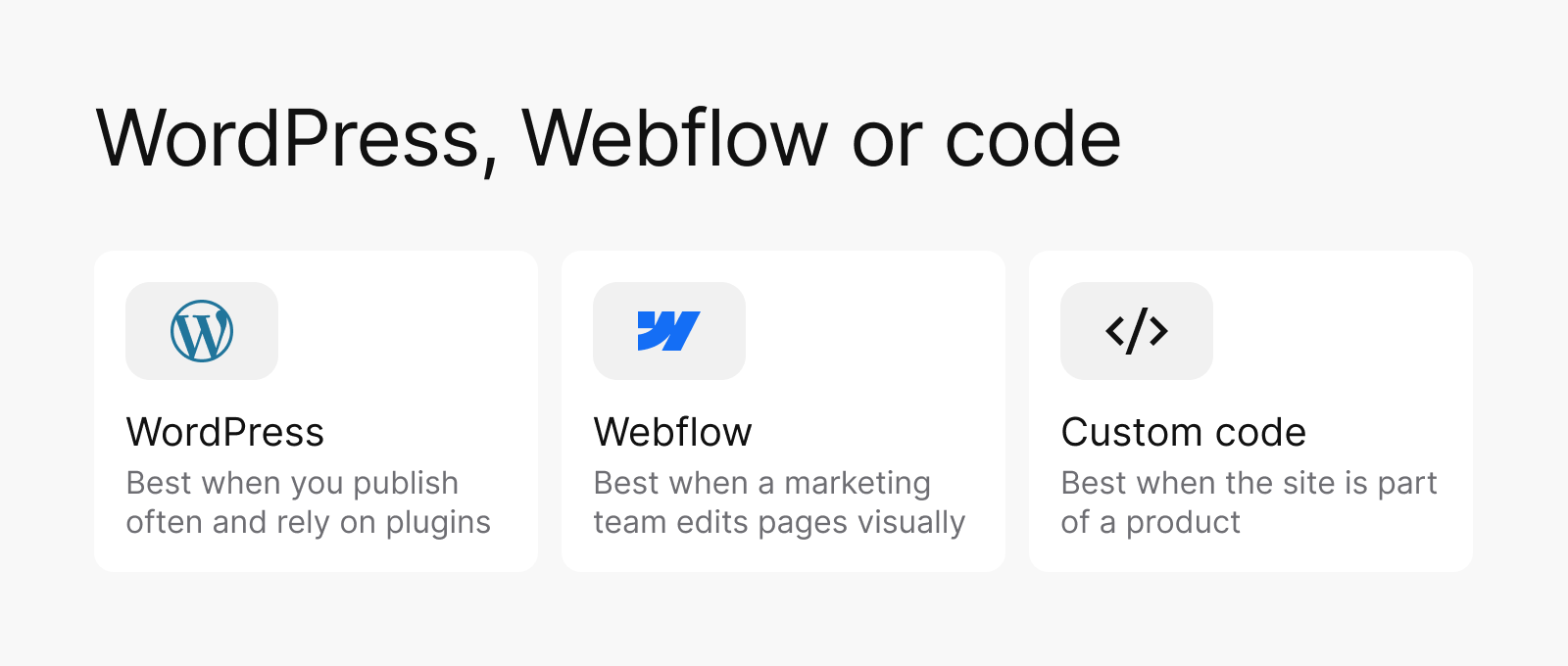
| Platform | Best when | Your team edits in | Watch for |
|---|---|---|---|
| WordPress | You publish often, rely on plugins and integrations or want to choose your own host. | The WordPress editor, with fields set up for each type of page. | Plugin updates and speed. Only 45% of WordPress sites pass Core Web Vitals on mobile, which the Web Almanac puts down to setup more than to WordPress itself (HTTP Archive, 2025). |
| Webflow | A marketing team wants to change pages visually and the site is mostly content. | Webflow’s visual Editor. | Hosting is part of a Webflow plan, and complex logic needs custom code or outside tools. |
| Custom code | The site is part of a product, with accounts, dashboards or heavy integrations. | A headless CMS for content; everything else changes in code. | Changes beyond content need a developer. |
Whichever we choose, your team can edit content without a developer, and we hand over the site, the files and the accounts at launch.
Trends and what’s next
The next few years will ask more of the same things: speed, accessibility and sites that are easy to change.
- Design systems over page sets: sites built from shared components, where a new page starts from parts that already work.
- Accessibility as a requirement: WCAG 2.2, published in 2023, is the current standard, and Ontario already requires WCAG 2.0 AA for many public websites.
- Speed as a ranking factor: Core Web Vitals have been part of how Google ranks pages since 2021 (Google, 2021).
- Answers above the results: when we checked in October 2026, Google showed an AI-written answer above the results for “what is web design” in Canada and the US. The pages behind those answers need clear structure and real expertise to be the ones people click.
In a survey of 2,500 of its users, published in April 2025, Figma found that only 31% of designers used AI in core design work, against 59% of developers (Figma, 2025). In our work, AI speeds up parts of the job, such as summarizing research and producing variations to compare. The decisions still need people who know the business and its users.
The web design mistakes we see most
When a business brings us its current site, the same few problems come up again and again.
The site follows the company, not the visitor
Menus often mirror how a team is organized, with departments, programs and services named the way people talk about them inside. Visitors arrive with a task. Cycle Momentum’s old site had this problem. Its structure made a single navigation pattern hard to build, and its program and service pages didn’t show their benefits.
Pages try to say everything
When every message gets the same weight, none of them stands out. Some of Myosin Therapeutics’ old pages were overloaded with content, which made the site difficult to navigate. The redesign gave it a new structure, a clean layout and simple navigation.
Forms and flows ask too much
A long or unclear form is where interest turns into a lost lead. For online stores, Baymard Institute estimates that the average large site could raise its conversion rate by 35.26% through better checkout design alone (Baymard Institute, 2025).
Layouts break on phones
A desktop layout squeezed onto a phone hides buttons, breaks tables and pushes the main action out of view. Phones account for close to half of Canadian page views. Test every template on a real phone before launch, not only in a narrow browser window.
Speed, accessibility and search are left for the end
All 3 are cheaper to design in than to fix after launch, when the fix means changing components on every page or chasing lost rankings. For startups we also listed the web design mistakes that cost conversions.
How we redesigned Cycle Momentum’s site
Cycle Momentum, a climate tech accelerator, connects entrepreneurs, investors and creative thinkers. Its site had 5 problems. The structure was complex, with no single navigation pattern. Program and service pages didn’t show their benefits, and program information was hard to sort. The application form was unclear, and the design was outdated and hard to update.
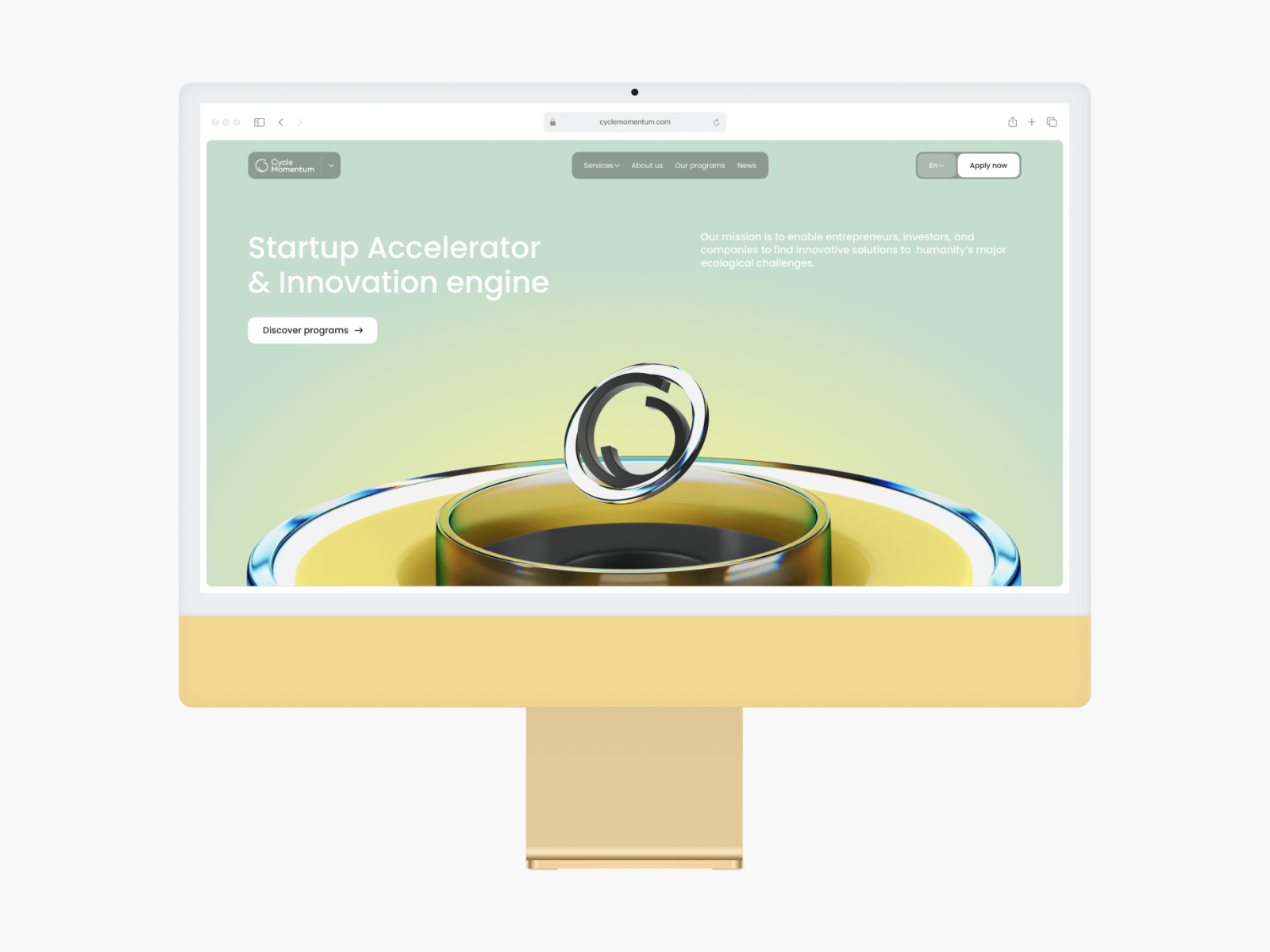
The project took 4 months, starting with a UX audit:
- 12+ pages tested, 80+ UX issues found and 50+ recommendations made;
- a new sitemap that groups the navigation, services, programs and news;
- filters by category and industry, with tags, to help founders find the right program quickly;
- a step-by-step application process for startups, investors and corporations;
- a design system and UI kit, a set of 3D illustrations and layouts for desktops, tablets and phones.
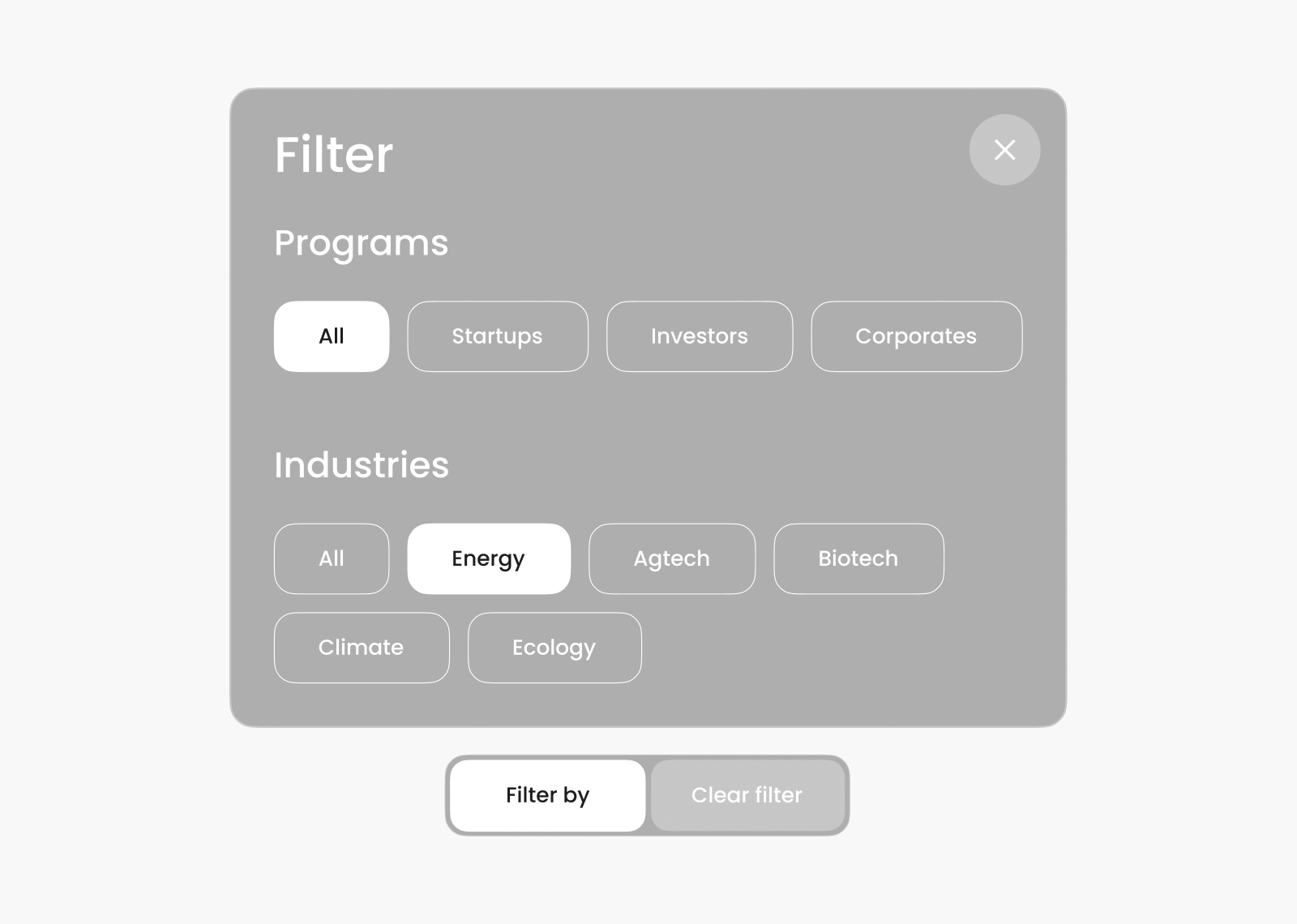
The new site launched in the first quarter of 2024. Total visits rose 68.3% to 4.8K and the bounce rate fell to 32.5%.
“Webgamma took the time to truly understand our platform and delivered a clean, intuitive design. Their team stayed flexible with our requirements and adapted to shifting timelines.”
Thibault Beudin, Communications @ Cycle Momentum
We still support Cycle Momentum’s site today. The Cycle Momentum project page shows the design system, the 3D work and more of the pages.
Where to start
Start with the phase you’re in. If you’re planning a new site, write a short brief: who it’s for, what it must achieve and the features you need. Add a few sites your buyers already use, with a note on what each does well. If you’re redesigning, start with an audit of what works today, so the new site keeps it. For a first budget, try our website cost calculator, and if you’d like one team for the whole project, our web design services cover every phase in this guide.